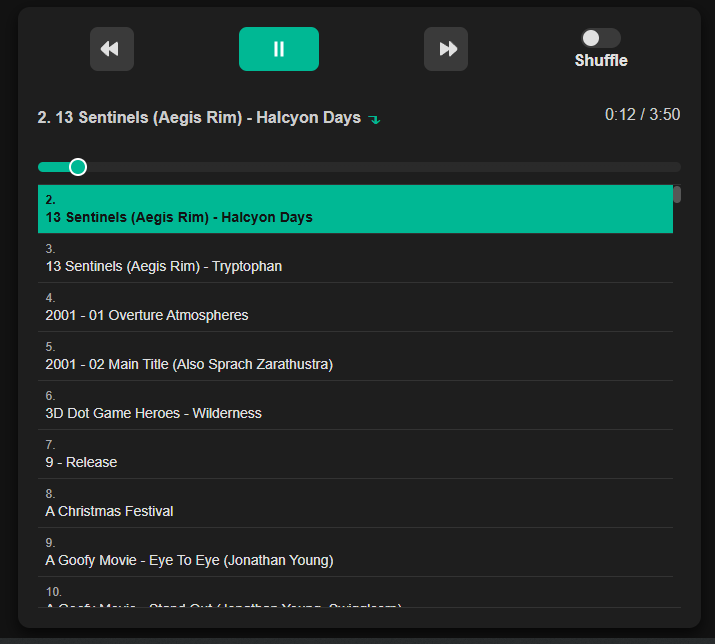
Demo page here
Download the .zip here
I listen to my normal album music on Spotify or Youtube, but I have a very large playlist of soundtrack and game songs that I stream from iTunes when I work or write. iTunes is way too complicated as it is, and for my needs of “just play all these mp3s in this folder, no I don’t need to connect to a server” it’s way overcomplicated. I could have shopped around on Codepen or the like, for a player that just had what I needed, but I know I’d have to customize it anyways.
Enter ChatGPT. I definitely had to work with it for a good few hours, but I know it was a lot less work than editing an already-existing build, and certainly from making it from scratch.
I couldn’t get ChatGPT to do was create a sensible random/shuffle icon to save its life, so I settled on a toggle switch.
The only real gruntwork you might have to do is creating the playlist JSON object. I have over 2,000 tracks and I wasn’t about to do that manually, so I used nodeJS to simply grab the file names in the “songs” directory and create the object that way. Any changes to the playlist I can just do directly into the code but those will be very minimal.
This is a very limited and specific mp3 player app. It uses around 10-30 MB of memory (on top of whatever the browser is using up), where iTunes takes up 700–1,200 MB of memory. That means iTunes is 30,000% more expensive for doing the same thing. I’m getting sympathetic breathlessness thinking about how much work my machine had to do for that.
Features:
- HTML, CSS, and JavaScript: no frameworks, databases, servers, or even Internet connection needed if you’re playing it locally
- Play/pause, next, previous buttons, shuffle toggle
- Displays track title and number, interactive track progress bar
- Playlist area automatically scrolls to track when it starts playing
- Only one file to edit
- Reads mp3 URLs from JSON object, automatically alphabetizes
- Uses
localStorage(not cookies) to remember last track played, either locally or on a server—info prints out in the browser console when a new track starts - Mobile responsive and fully accessible, notably with keyboard navigation
- There’s a clear cache button, but commented out
Limitations:
- No repeat button or volume slider
- Only ingests a list of files from a “songs” directory, isn’t set up to handle a hierarchy
- Doesn’t organize by artist and album
- Any additions or deletions to the playlist would have to be added manually to the JSON object